Best Free Backup Software

Data loss almost always strikes without warning: a failing drive, a slip of the finger or ransomware, and photos, documents or projects are gone. Good backup software does not have to cost anything. This list presents five programs that back up your data and stay free to use, with no trial period.

Updated October 2026

Free does not mean the same thing everywhere: some tools are open source, others are free for home users only, and some lock individual features behind a paid edition. That is why every entry says in plain words what the free version can do and where its limit is.

Disclosure: BackUp Maker in first place is made by ASCOMP Software GmbH, the operator of this site. We checked all details against the vendors' own pages on 15 October 2026.

Our pick

BackUp Maker

Simple data backup for Windows: automatic, compressed and encrypted

Free foreverPersonal use onlyE-mail registration required

The Standard Edition is free for home use and evaluation with no time limit and, according to the vendor, no restrictions on its features. The Professional Edition (39.90 US dollars) removes the info windows and allows backing up business files.

BackUp Maker backs up files, folders and entire drives automatically on a schedule or on events, for example as soon as your external drive is plugged in. Data is stored compactly as ZIP files and can be encrypted with AES up to 256 bit, so it stays accessible even without the program.

Targets include local and external drives, NAS and network shares, and cloud folders such as OneDrive, Google Drive or Dropbox. With WebDAV, SFTP or FTPS you can also send backups straight to a web server. Incremental and differential backups, multiple backup generations and actions before and after a backup round off the feature set. The software runs on Windows 11 down to Windows 7 as well as current Windows Server versions.
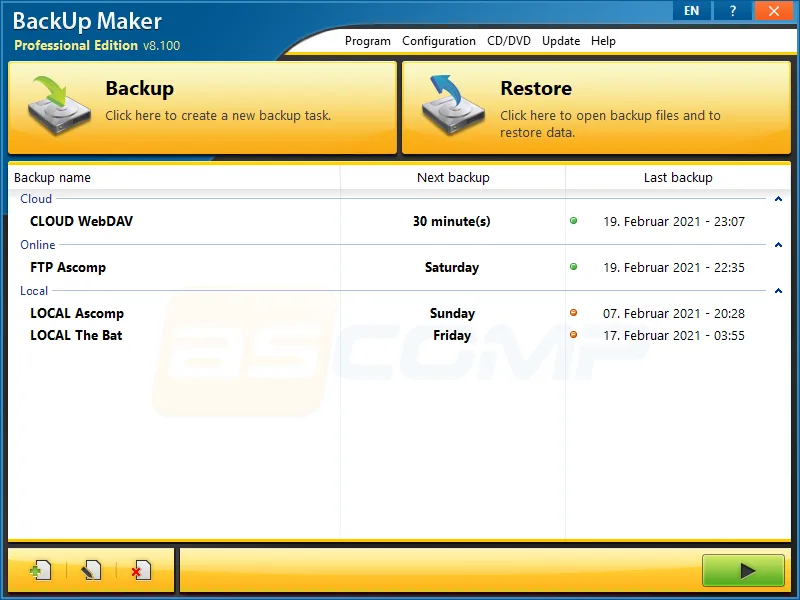
Screenshot of the BackUp Maker user interface
  • Pro: Free for home use with no time limit
  • Pro: AES encryption up to 256 bit and ZIP compression
  • Pro: Backs up to USB, NAS, cloud folders, WebDAV, SFTP and FTPS
  • Pro: Incremental and differential backups, multiple generations
  • Pro: Starts on a schedule or on events such as plugging in a drive
  • Pro: Runs on Windows Server and Windows on ARM as well
  • Con: Windows only
  • Con: Business use requires the Professional Edition
  • Con: The free version shows info windows
  • Con: No operating system disk image, the focus is on data
Platform
Windows

ToDo Backup Free

Plenty of features for home users, from single files to whole drives

Free foreverPersonal use onlyLimited featuresCloud trial only

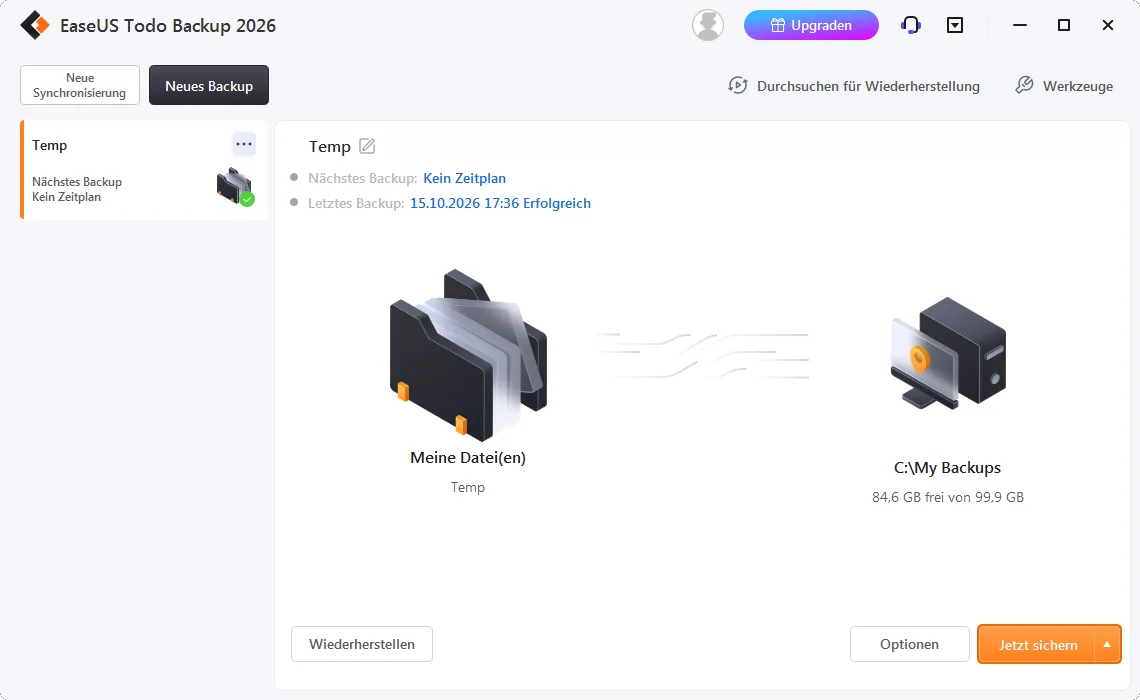
The EaseUS free edition can be used without a time limit and needs no activation key. It is intended for home users. Cloud storage (250 GB) is only a 30-day trial, while local targets such as USB, NAS or network shares stay free for good. Cloning and backing up app data and Outlook are reserved for the Home edition (39.95 US dollars).

ToDo Backup Free backs up single files and folders, whole drives, partitions or the entire system. The free version also offers full, incremental and differential backups, schedules, password protection for backups and a rescue media creator that lets you restore the PC even when Windows will not start.

The wizard walks you through source, target and schedule step by step, which suits beginners. Backups go to local drives, USB, NAS, network shares or the cloud, although the bundled cloud storage is free for a limited time only. Windows 11, 10, 8 and 7 are supported.

Screenshot of the ToDo Backup Free user interface
  • Pro: Files, drives, partitions and system in one free version
  • Pro: Full, incremental and differential backups
  • Pro: Schedule and password protection for backups
  • Pro: Rescue media to restore without booting Windows
  • Pro: Beginner-friendly wizard
  • Con: Cloud storage is free for 30 days only
  • Con: Cloning, app data and Outlook backup are paid-only
  • Con: The free edition is meant for home use
  • Con: Windows only
  • Con: Upgrade prompts in the interface
Platform
Windows
Our rating
8.9 / 10

Backupper Standard

AOMEI Backupper Standard: freeware with backup, sync and rescue media

Free foreverPersonal use onlyLimited featuresCloud trial only

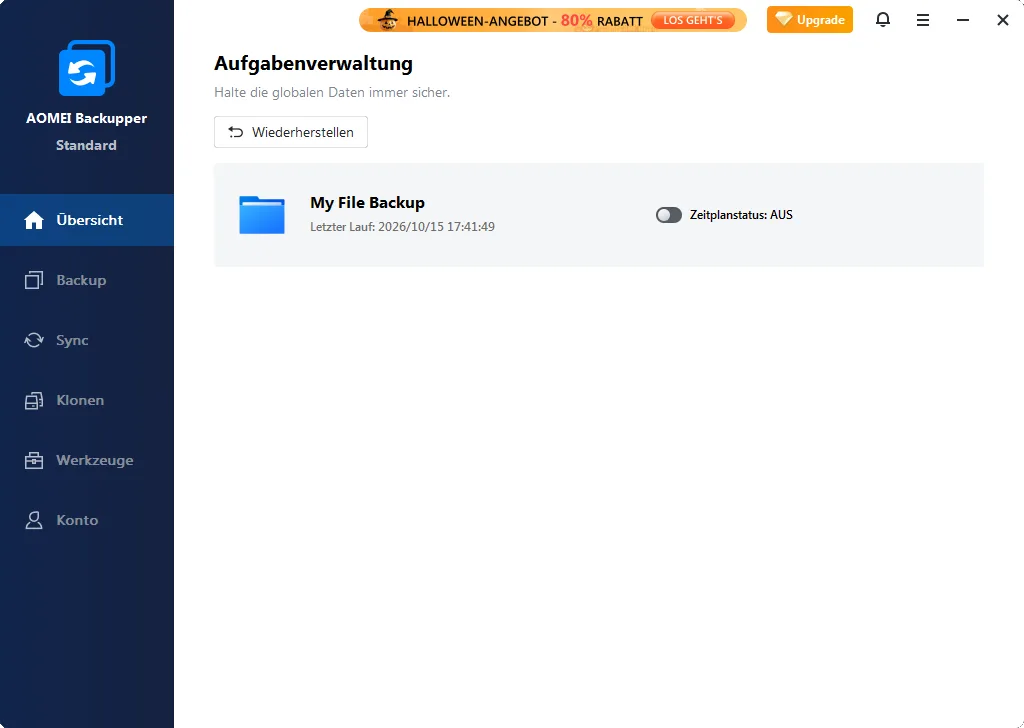
The Standard edition is freeware for Windows with no time limit and is aimed at personal use. Cloud backup is only a 15-day free trial. Differential backup, automatic cleanup of old backups, Outlook and email backup and Universal Restore belong to the Professional edition (from 39.95 US dollars).

AOMEI Backupper Standard backs up files, folders, partitions, entire drives and the system, either as full or incremental backups. Backups can be triggered on a schedule, when a USB drive is connected or on events such as startup and logoff. The backup runs while you keep working, without closing programs.

The free version also includes file synchronization, compression, backup verification, splitting of large backup files and a WinPE-based rescue media. Targets include local drives, USB, NAS and network shares. Windows 11, 10, 8.1, 8 and 7 are supported.

Screenshot of the Backupper Standard user interface
  • Pro: Files, partitions, drives and system in the free version
  • Pro: Triggers by schedule, USB connection and system events
  • Pro: Backs up while the PC is in use
  • Pro: File sync and rescue media included
  • Pro: Verification, compression and splitting of backups
  • Con: Differential backup is Pro only
  • Con: No automatic cleanup of old backups in the free version
  • Con: Cloud backup is free for 15 days only
  • Con: Outlook and email backup are Pro only
  • Con: Support during business hours only, Windows only
Platform
Windows
Our rating
8.6 / 10
● Software in the Spotlight

Your software deals in the spotlight

In addition to the list: current giveaways and discounts from software providers.

All deals on the home page

Duplicati

Open-source backup with AES-256 encryption for cloud, NAS and servers

Free foreverFree for commercial useOpen source

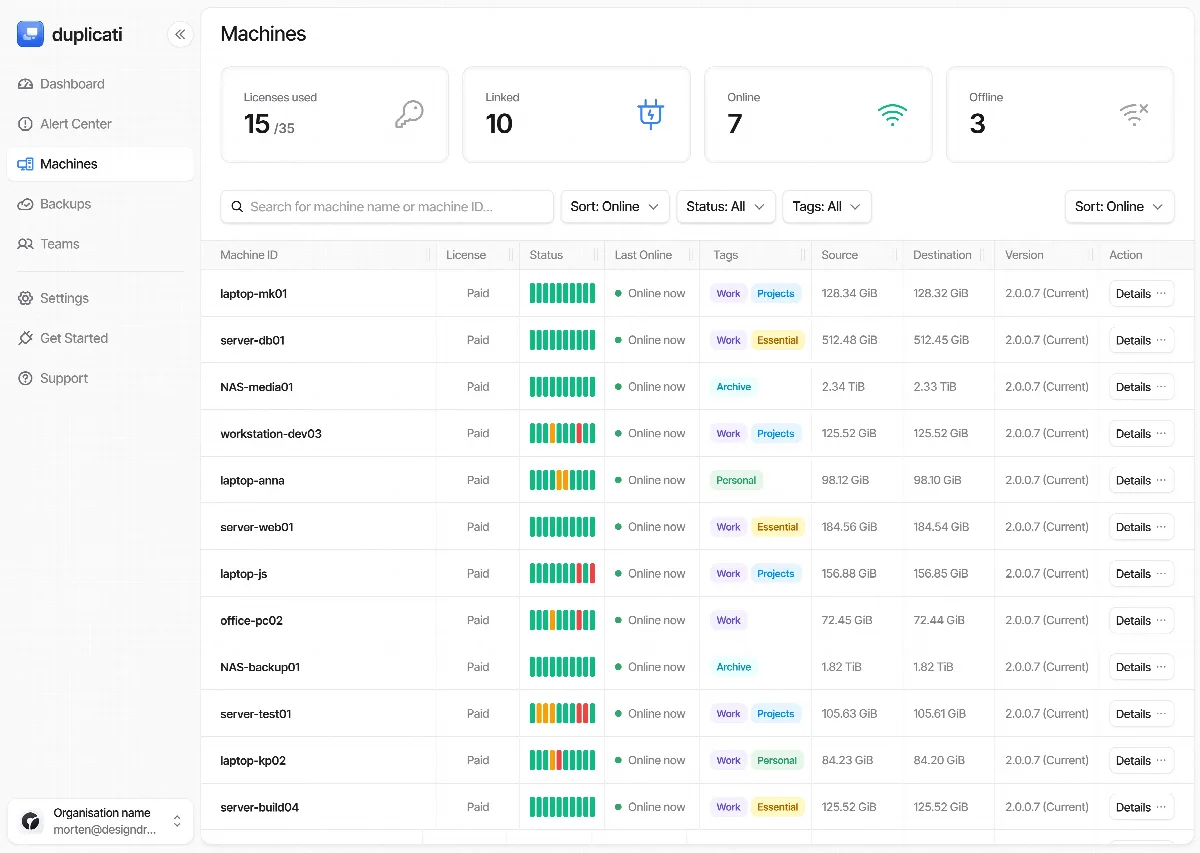
The backup client is released under the MIT license and is free for personal and commercial use with no feature locks. Costs only arise if you use paid cloud storage as a target. The optional Duplicati console for remote monitoring has a free tier for 2 machines; the Pro tier costs 2 US dollars per machine per month on annual billing.

Duplicati encrypts your data with AES-256 before it leaves your computer and, after the first full backup, stores only changes. That saves space and bandwidth. A built-in scheduler, flexible filters and rules for how long old versions are kept are on board. Files that are currently in use are backed up through the Windows Volume Shadow Copy service.

Its strength is the choice of targets: Amazon S3, Backblaze B2, Google Drive, OneDrive, Dropbox, MEGA, FTP, SFTP, WebDAV and many more are supported. You operate Duplicati through a web interface in your browser, or from the command line. It runs on Windows, macOS and Linux.

Platform
Windows, macOS, Linux
Our rating
8.3 / 10
Screenshot of the Duplicati user interface
  • Pro: True open source under the MIT license, free for business use too
  • Pro: AES-256 encryption before upload
  • Pro: Only changed data is backed up and compressed
  • Pro: Many targets: S3, B2, Google Drive, OneDrive, SFTP, WebDAV and more
  • Pro: Runs on Windows, macOS and Linux
  • Pro: Freely configurable version retention, command line available
  • Con: Web interface, setup is harder for beginners
  • Con: No disk image, the focus is on files
  • Con: You have to bring your own storage space
  • Con: Support through a community forum

FBackup

Plain file backups by wizard, free for businesses too

Free foreverFree for commercial useLimited features

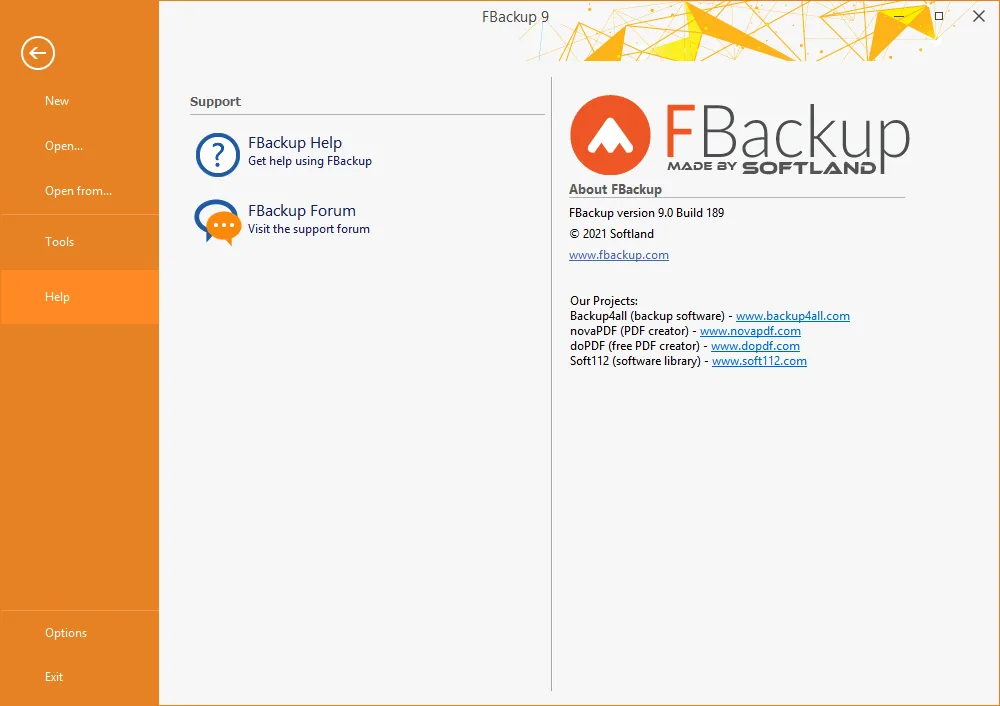
According to the vendor, FBackup is free for good for personal and commercial use. The paid version Backup4all adds incremental backups, AES encryption, email notifications and OneDrive as a target. Hints about Backup4all appear in the interface.

FBackup guides you through a backup job in four steps: where to store the backup, what to back up, how (as a ZIP archive or as a 1:1 copy) and when. The ZIP format supports files over 2 GB and can be password protected. Mirror backup creates exact copies, and its Fast Mirror option copies only new and modified files.

Targets include USB drives, network drives, Google Drive and Dropbox. Online folders can also serve as a source. Thanks to the Windows Volume Shadow Copy service, open files are included, and plugins back up settings of specific programs or game saves.

Platform
Windows
Our rating
7.8 / 10
Screenshot of the FBackup user interface
  • Pro: Free for personal and commercial use
  • Pro: Clear wizard for backup and restore
  • Pro: ZIP archives with password protection or 1:1 mirror copy
  • Pro: Targets: USB, network drive, Google Drive, Dropbox
  • Pro: Backs up open files, plugins for program settings
  • Con: No AES encryption, only password protection for ZIP files
  • Con: Incremental backups and email notifications only in Backup4all
  • Con: No OneDrive target
  • Con: Upsell hints for the paid version
  • Con: Windows only

What does “free” mean?

The labels used in this list at a glance.

Free forever

The software can be used for free without a time limit.

Free for commercial use

The free version may also be used in a business.

Open source

The source code is public and the software may be used freely.

Personal use only

Businesses and freelancers need a paid license.

E-mail registration required

The download or license key is only available after entering an e-mail address.

Limited features

Some features are reserved for the paid version.

Cloud trial only

The vendor's cloud storage is only free for a limited time.